
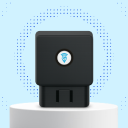
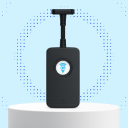

OBD GPS Tracker Installation Guide
Welcome



The EZY GPS OBD tracker is a plug-and-play vehicle tracking device that connects directly to the vehicle's OBD-II diagnostic port.
Unlike hardwired trackers, the OBD tracker requires no wiring or tools and can typically be installed in less than one minute.
Once installed, the device automatically begins transmitting location data. You can monitor your vehicle using:
- The EZY GPS mobile app
- The EZY GPS web platform
What is an OBD Port?
The OBD port (On-Board Diagnostics port) is a standard connector installed in most modern vehicles. It is normally used by mechanics to read diagnostic information.
When an EZY GPS tracker is connected to this port it can:
- Receive power from the vehicle
- Detect ignition status
- Monitor vehicle movement
- Transmit GPS location data
Most vehicles manufactured after 2000 (petrol) or 2004 (diesel) include a compatible OBD-II port.
If you cannot locate your port, visit the Find Your OBD Port guide.
What Comes in the Box
- EZY GPS OBD GPS tracker
- Quick installation guide
- QR code linking to the full online manual
- Optional OBD extension cable (depending on package)
Before installing the device, check that the tracker is not damaged.
Step-by-Step Installation
Using the OBD Extension Cable
Some vehicles position the OBD port in a visible or awkward location. An OBD extension cable can be used to relocate the tracker.
- Plug the extension cable into the OBD port
- Connect the tracker to the extension cable
- Secure the tracker behind the dashboard
This keeps the device hidden and prevents accidental removal.
Device Features
The EZY GPS OBD tracker provides several vehicle monitoring features:
- Real-time vehicle tracking
- Trip history and route playback
- Ignition detection
- Overspeed alerts
- Geofence alerts
- Movement alerts
- Vibration alerts
- Power removal alerts
Backup Battery
The OBD tracker includes an internal backup battery. The battery allows the device to continue transmitting location data for a short time if vehicle power is disconnected.
This may occur if:
- The device is unplugged
- The vehicle battery is disconnected
- The OBD port loses power
Once power is restored, the tracker will automatically reconnect.
Best Installation Practices
For optimal performance:
- Ensure the device is fully inserted into the OBD port
- Avoid placing the tracker under heavy metal structures
- Secure the device if using an extension cable
- Avoid installing where the device could be kicked or knocked
Removing the Tracker
- Turn the vehicle ignition off
- Pull the device straight out of the OBD port
Common Setup Questions
- The tracker is fully inserted into the port
- The vehicle ignition is on
- The vehicle battery is functioning
- The device has mobile network coverage
- Possible causes: vehicle parked inside a building, underground, or temporary satellite signal loss.
- Moving the vehicle outside usually resolves this issue.
- Possible causes: loose OBD port connection, worn OBD socket, or poor vehicle battery voltage.
- Using an extension cable can sometimes improve stability.
Technical Specifications
| Device dimensions | approx. 58 × 45 × 22 mm |
| Weight | approx. 56 g |
| Operating voltage | 9V – 35V DC |
| Positioning systems | GPS / GLONASS / BeiDou / Galileo |
| Location accuracy | approx. 5–10 metres |
| Operating temperature | -20°C to 75°C |
| Backup battery | Rechargeable internal battery |
Electrical

Hardware Protection | Anti-Reverse for Power Supply ESD Surge Over Voltage Over Current |
Power Average Consumption | 9 mA (Sleep) 56 mA (Active) |
| Positioning Antenna | 140 mAh 3.7V (Rechargeable) |
| Antenna Specifications | -20°C ~ 75°C |
| Concurrent GNSS | -30°C ~ 80°C |
| Update Rate | 10%–85% RH (Non-Condensing) |
Product Data Sheet
After installation
Start tracking with EZY GPS
Choose the OBD device, confirm its location in your vehicle, compare a plan and learn the main app controls.
Still Need Help or Have Another Question?