


GPS Tracking Alerts, Reports and History Explained

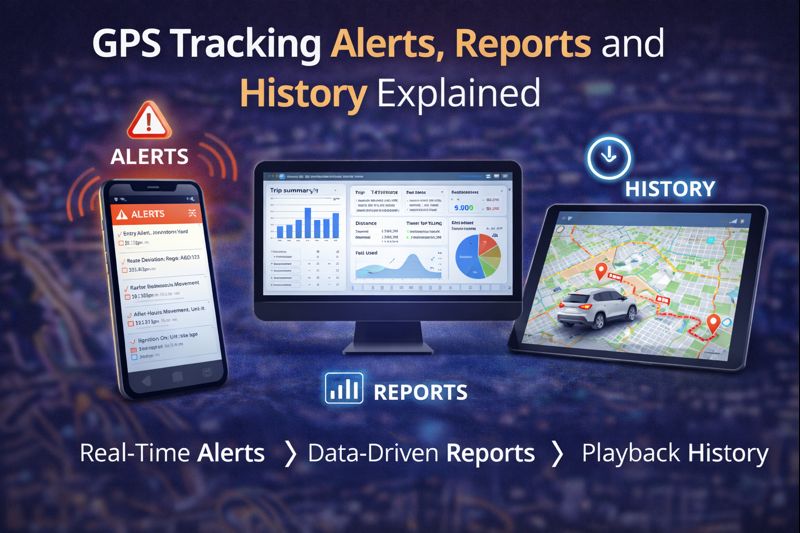
Modern GPS tracking systems do far more than show where a vehicle is right now. The real power of GPS tracking comes from alerts, reports, and historical data — features that turn raw location data into actionable insights.
This article explains how GPS tracking alerts, reports, and history work, why they matter, and how businesses use them to improve efficiency, security, and accountability.
What Are GPS Tracking Alerts?
GPS tracking alerts are automatic notifications triggered when specific conditions are met. Instead of constantly monitoring a map, alerts notify you only when something important happens.
Common GPS Tracking Alerts
Most professional GPS tracking systems support alerts such as:
- Ignition on or off
- Vehicle movement after hours
- Power loss or device unplugging
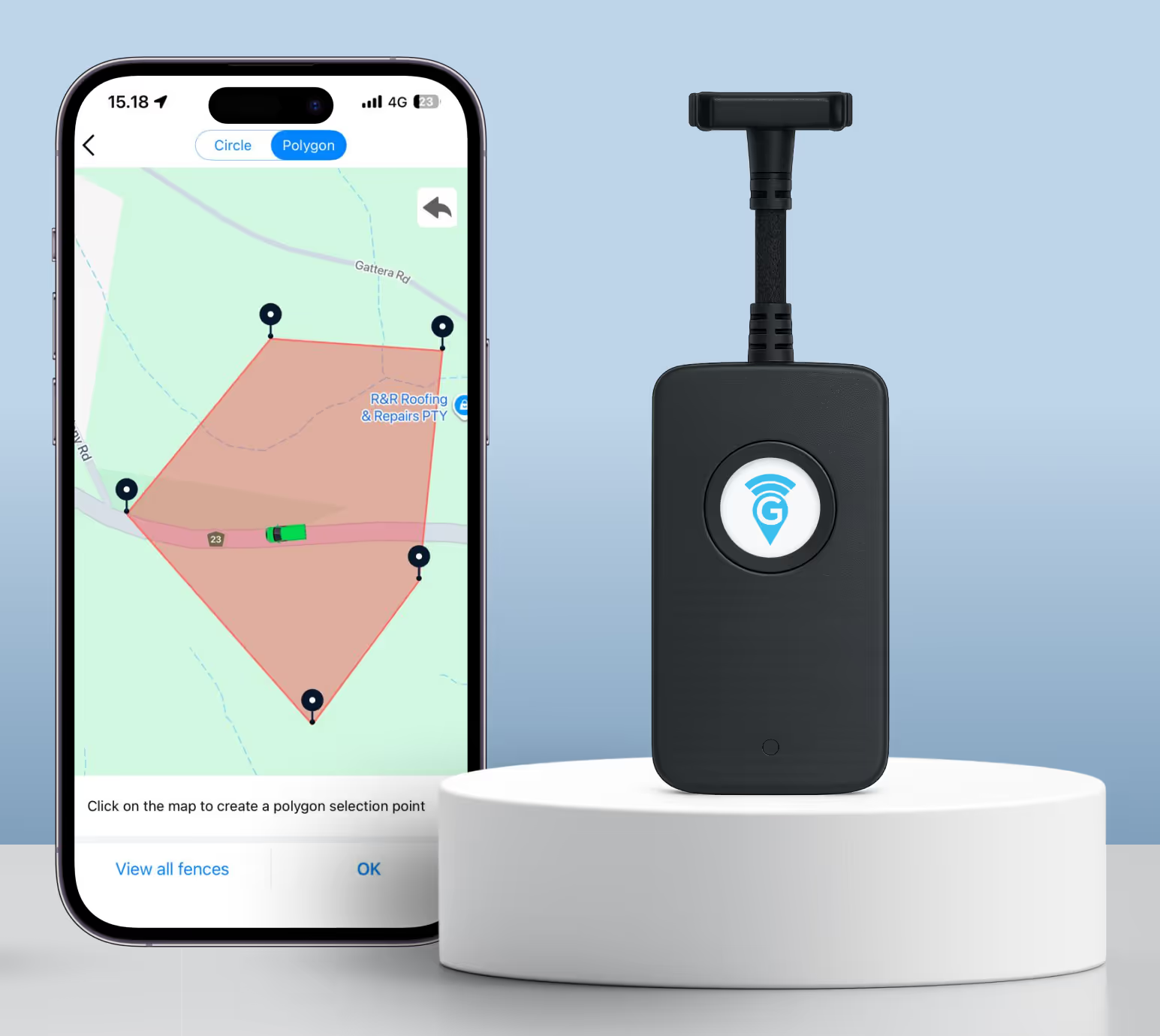
- Entry or exit from a geofence
- Excessive idling or inactivity
Alerts can be delivered via:
- App notifications
- Web dashboard alerts
This allows immediate response without manual monitoring.
Why Alerts Are So Important
Alerts transform GPS tracking from passive observation into active fleet management.
They help businesses:
- Detect unauthorised vehicle use
- Respond quickly to theft or tampering
- Reduce fuel waste caused by idling
- Enforce operating hours and policies
Well-configured alerts reduce admin workload while increasing control.
What Are GPS Tracking Reports?
GPS tracking reports summarise vehicle activity over a selected period. Instead of reviewing individual trips, reports provide a high-level view of how vehicles are being used.
Common Types of GPS Reports
Typical reports include:
- Trip summaries
- Distance travelled
- Idle time reports
- Usage by vehicle or driver
- Activity timelines
Reports can usually be exported or reviewed directly in the tracking platform.
How Businesses Use GPS Reports
Reports are commonly used for:
- Reviewing fleet utilisation
- Identifying inefficiencies
- Supporting customer or insurance disputes
- Verifying job attendance
- Improving scheduling and planning
Accurate reporting replaces guesswork with data-backed decisions.
What Is GPS Tracking History?
GPS tracking history is a detailed record of where a vehicle has been and when.
This includes:
- Routes taken
- Start and stop points
- Time spent at locations
- Movement patterns over time
Historical data can often be replayed visually on a map, making it easy to understand vehicle behaviour.
Why GPS History Matters
GPS history is critical for:
- Resolving disputes
- Investigating incidents
- Confirming service delivery
- Improving route planning
It provides a reliable, time-stamped record that supports transparency and accountability.
Alerts vs Reports vs History: How They Work Together
Each feature serves a different purpose:
- Alerts notify you when something happens
- Reports summarise what happened
- History shows exactly how it happened
Used together, they provide complete visibility into fleet activity — past, present, and actionable future insights.
Choosing the Right Level of Alerts and Reporting
More data isn’t always better.
Effective GPS tracking systems allow you to:
- Customise alert thresholds
- Choose relevant report types
- Avoid unnecessary notifications
This ensures alerts and reports support decisions rather than creating noise.
How EzyGPS Delivers Alerts, Reports and History
EzyGPS GPS tracking platforms are designed to provide:
- Clear, configurable alerts
- Easy-to-read reports
- Detailed but accessible history playback
Our systems focus on useful information, not overwhelming data, making them suitable for both small businesses and large fleets.
Who Benefits Most from These Features?
GPS tracking alerts, reports, and history are especially valuable for:
- Fleet and operations managers
- Trade and service businesses
- Rental and pool vehicle operators
- Companies managing mobile staff
Any business that relies on vehicles benefits from better visibility and control.
Final Thoughts: Turning GPS Data Into Insight
GPS tracking is no longer just about knowing where a vehicle is. Alerts, reports, and history transform tracking into a decision-making tool that improves efficiency, security, and accountability.
When configured correctly, these features deliver ongoing value — not just information.

Continue researching
Useful EZY GPS product and setup resources
Compare tracker types, review plan pricing and follow practical installation guidance after reading an EZY GPS article.