

How to Find Your Vehicle OBD Port
What is an OBD Port?
The OBD port (On-Board Diagnostics port) is a standard diagnostic connector installed in most modern vehicles.
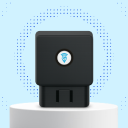
Mechanics use this port to read vehicle diagnostic information. EZY GPS OBD trackers use the same port to receive power and detect vehicle activity.
Once the tracker is connected to the OBD port it can:
- Power the device
- Detect ignition status
- Monitor vehicle movement
- Transmit GPS location data
Most vehicles manufactured after 2000 (petrol) or 2004 (diesel) include a compatible OBD-II port.
What Does the OBD Port Look Like?
The OBD port is a 16-pin trapezoid-shaped connector.
It normally looks like a small plastic socket mounted under the dashboard. The connector is usually black or purple and approximately 4–5 cm wide.
Common OBD Port Locations
The OBD port is normally locatedwithin 1 metre of the driver's seat.
Under the Steering Column
- The most typical location is beneath the steering wheel area, near the pedals.
Inside the Driver Footwell
- In some vehicles the port is slightly recessed into the lower dashboard. Look upward from the footwell.
Near the Fuse Box
- Some vehicles position the OBD port next to the interior fuse panel.
Behind a Dashboard Panel
- Some manufacturers hide the port behind a removable plastic cover, usually easy to remove by hand.
Step-by-Step Guide
Using a Vehicle OBD Port Finder
If you still cannot locate your OBD port, you can search using your vehicle make and model.
Relay / Immobiliser Installation
- Look under the steering column
- Check behind dashboard covers
- Check near the fuse box
- Use the vehicle lookup tool above
Some vehicles place the port slightly higher under the dashboard.
Some vehicles have protective covers over the port. These covers can usually be removed easily.
Ensure the connector is aligned correctly before inserting. Do not force the device. The connector should slide in smoothly.
Still Need Help or Have Another Question?