

Troubleshooting Guide
Introduction
This troubleshooting guide helps resolve common issues with EZY GPS tracking devices and the tracking platform.
Most GPS tracking problems are related to one of the following:
- Device power connection
- Mobile network coverage
- GPS satellite signal reception
- Installation issues
- Login or account configuration
If the issue cannot be resolved, contact EZY GPS support.
Device Not Appearing Online
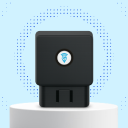
For OBD trackers:
- Confirm the device is fully inserted into the OBD port
- Ensure the vehicle ignition is turned on
- Confirm the vehicle battery is functioning
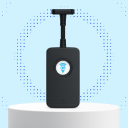
For hardwired trackers:
- Confirm the constant power wire is connected
- Confirm the ground connection is secure
- Confirm the ignition wire is connected
GPS trackers transmit location data using the mobile network. If the vehicle is in an area with poor signal, the device may appear offline temporarily.
Examples: underground parking garages, enclosed metal buildings, remote rural areas.
Once the vehicle moves into an area with coverage, the device will reconnect automatically.
- If the device was recently installed, confirm that the tracker has been activated and the correct account login is being used.
- If unsure, contact EZY GPS support and provide the device IMEI number.
GPS & Location Issues
Possible causes:
- Vehicle is parked indoors
- Vehicle is parked underground
- Heavy metal objects are blocking the GPS signal
- The device has not yet acquired satellite lock
Moving the vehicle outside usually restores GPS reception.
- This may occur when the device temporarily loses satellite signal, the vehicle has been parked inside a building, or the tracker has not yet received a new GPS update.
- Once the vehicle begins moving, the location will update automatically.
Connectivity Issues
For hardwired installations:
- Confirm the ground connection is secure
- Confirm the power wire is properly connected
- Confirm the inline fuse is intact
For OBD trackers:
- Confirm the tracker is fully inserted
- Check that the OBD port is not loose
- Ensure the tracker is not being bumped or knocked
Weak signal areas may cause intermittent connections.
- For hardwired installations, confirm the orange ACC wire is connected to the correct ignition source.
- Incorrect wiring may cause the system to show ignition permanently on or off.
Immobiliser Issues
- Confirm the relay wiring is correct
- Confirm the correct starter motor wire was used
- Confirm the relay control wire is connected properly
- Confirm the relay fuse is intact
Immobilisation should only interrupt the starter motor circuit.
- Inspect the wiring connections
- Confirm no factory safety wiring was disturbed
- Confirm CANBUS wiring was not modified
- Confirm immobiliser wiring is correct
If warning lights persist, the installation should be inspected by a qualified technician.
Login & App Issues
- Confirm your username and password are correct
- Confirm your device has internet access
- Confirm your account has been activated
If login details have been lost, contact EZY GPS support.
- Confirm the tracker has been activated
- Confirm you are logged into the correct account
- Restart the mobile app
- Try logging into the web platform to confirm device status
- Confirm all wiring connections
- Confirm the tracker is receiving power
- Confirm the device has network coverage
- Confirm the device has been activated on the platform
Most installation issues are related to power or wiring.
When to Contact Support
Contact EZY GPS support if:
- The device remains offline after installation
- Location does not update after driving
- The tracker appears online but does not function correctly
- Installation issues cannot be resolved
Providing the following information will help support resolve the issue quickly:
- Device serial number or IMEI
- Vehicle type
- Installation type (OBD or hardwired)
- Description of the issue
Still Need Help or Have Another Question?